Last week, my friend Dana texted me a photo of her dog. It looked like a brown smudge. Her last three photos looked the same. I asked what went wrong, and she wrote back, “Turn on RCS.” I stared at the screen for a full minute, because I had no idea what she meant. If you’ve felt the same confusion, you’re in good company. RCS meaning comes down to Rich Communication Services, an upgrade to regular texting. Think of it as texting with a few new tricks. This guide explains what it is, how it works, and why your photos look sharper once it’s on.
Read More Articles: Nevertheless Meaning: The Hidden Power of This Word in Everyday English
RCS Meaning: What Does RCS Stand For in Texting?
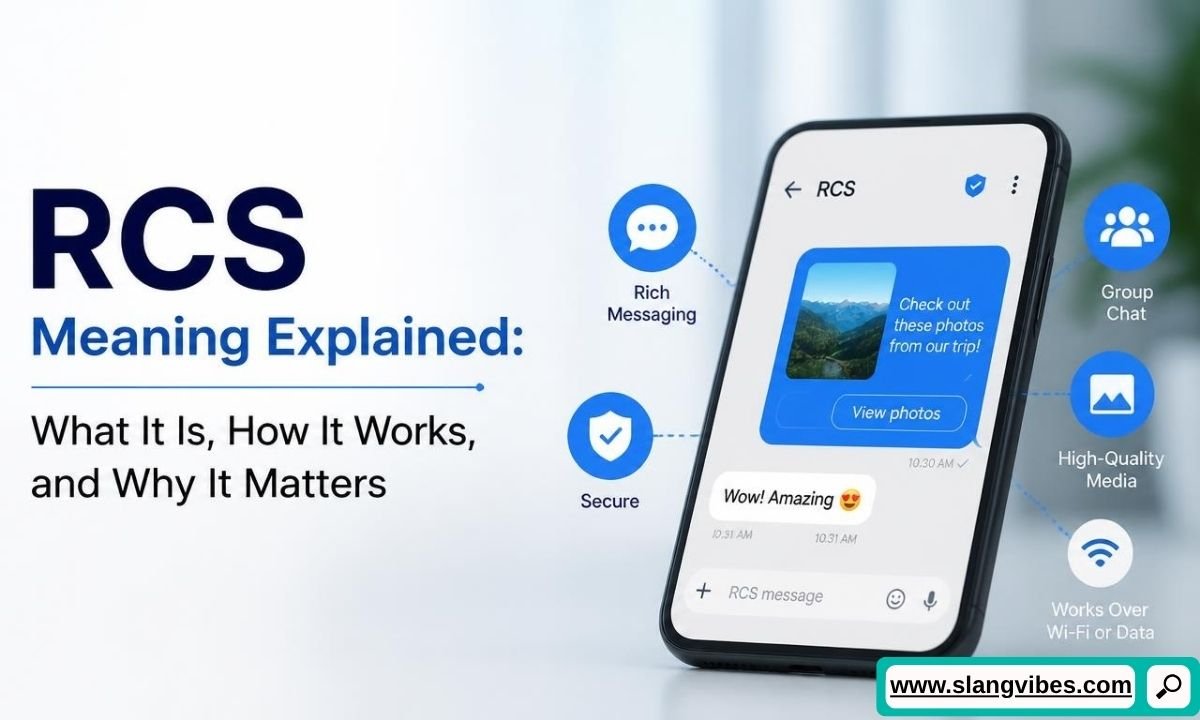
RCS stands for Rich Communication Services. The RCS meaning in plain English is an upgraded version of regular text messaging. Your phone sends these messages over mobile data or Wi-Fi instead of the old cellular text channel.
This change unlocks features you already know from chat apps. You get typing bubbles, read receipts, emoji reactions, bigger photos, and better group chats. Many people call it “SMS with extra features,” and the nickname fits.
Classic SMS caps each message at 160 characters, and picture messages arrive squeezed down. RCS removes those limits. Long messages stay in one piece, and a video arrives looking like the original.
Here’s how it sounds in real life:
Maya: Why does my phone say “RCS message” now?
Leo: Your texts upgraded. Photos and videos send in better quality.
Maya: Do I need to download something?
Leo: Nope. Your messaging app handles everything.
Notice what Leo says. RCS lives inside the default messaging app, so you install nothing new. On most Android phones, the app is Google Messages. On iPhone, it’s the same Messages app you’ve always used.
The short answer is simple. When someone says “turn on RCS,” they want your texts to run on this newer system. Some phones label the setting “Chat features,” so don’t panic if you never see the letters RCS in your menu.
RCS Full Form and History: Where Rich Communication Services Began
The GSMA, a global trade group for mobile carriers, backs the RCS standard. Carriers wanted a modern answer to chat apps like WhatsApp and Facebook Messenger. Regular texting felt stuck in the past, so they planned an upgrade built into the phone itself.
The RCS meaning makes more sense once you see the early years. Carriers rolled out their own versions, so features changed from one network to the next. Two friends on different carriers often saw different features.
Google changed the picture by building RCS support into Google Messages and working with carriers around the world. Google Messages became the default texting app on many Android phones. Android users soon saw “Chat features” in their settings, and the experience grew more consistent.
Then came the big shift for iPhone owners. Apple added RCS support with iOS 18 in September 2024. Before this, texts between an iPhone and an Android phone fell back to old SMS and MMS. Photos looked blurry, and group chats felt clunky.
Spring 2026 brought another milestone. Apple and Google started rolling out end-to-end encryption for RCS chats between iPhone and Android, in beta. You’ll find the details in the privacy section below.
Adoption keeps growing, and the rollout continues. Your carrier, your phone model, and your software version all affect whether RCS shows up for you.
Read Also: FOB Meaning Explained: Definition, Origin, Examples & Cultural Significance
How RCS Works Compared to SMS and MMS
Understanding the RCS meaning starts with the delivery route. SMS travels over the carrier’s cellular signal. It needs no internet, which makes it reliable but limited. MMS, the older picture-message system, squeezes photos and videos into small files.
RCS takes a different road. Your phone sends the message through a data connection, either mobile data or Wi-Fi. Both phones need RCS turned on for this to work. When both sides are ready, you get the full chat experience.
Picture this scenario. You send a vacation video to your cousin on a mountain trail with weak signal. Her phone has no internet connection. RCS steps aside, and your video goes out as a basic message instead. People call this handoff SMS fallback.
Your message still arrives, but extras like typing bubbles and read receipts disappear for a moment. The app switches back to RCS on its own once your cousin’s data connection returns.
Here are the main upgrades you gain:
- Typing indicators show when someone is writing back.
- Read receipts show when a message has been seen.
- Photos and videos keep far more detail.
- Group chats support names, reactions, and replies.
- Messages travel over Wi-Fi even without a cell signal.
RCS does not replace your phone number. Your contacts still reach you through the same number, and the app decides which channel to use.
RCS Meaning on iPhone vs Android: Who Supports It Now
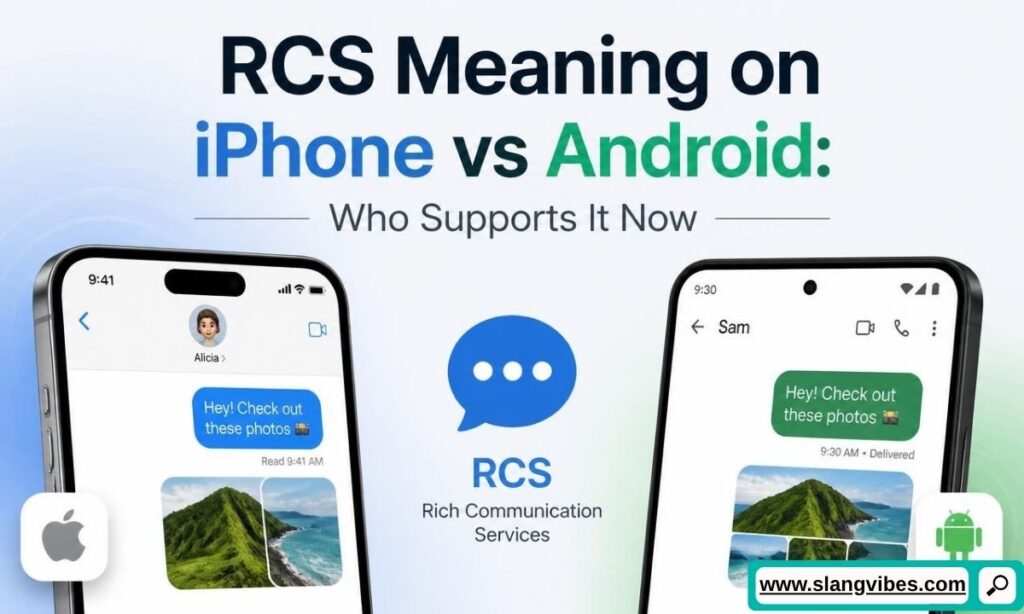
Android owners have enjoyed RCS for years through Google Messages. The RCS meaning stays the same on both platforms, but your experience depends on your phone. iPhone owners joined the party later, once iOS 18 arrived in September 2024.
Today, both sides are able to use RCS with each other. An iPhone user texting an Android friend gets typing bubbles, bigger photos, and read receipts. Both phones need RCS switched on. Carrier support matters too, so check your plan if RCS never appears.
Two iPhones still talk through iMessage by default, which shows blue bubbles. RCS only steps in when an iPhone texts an Android phone. Android to Android chats use RCS automatically when both people have chat features on.
Check out this group chat:
Priya: Why do my pics look so crisp in this chat now?
Marcus: My iPhone updated and RCS kicked in.
Tyler: I’m on Android, so I’ve had it forever.
Priya: Finally, no more blurry beach photos.
Did You Know: iPhone users still see RCS texts in green bubbles. Blue stays reserved for iMessage, Apple’s own service between Apple devices.
If you want to confirm your own setup, update your phone software first. Android users should also keep Google Messages current. These two steps fix many “why don’t I have RCS” questions.
Read New Articles: DLS Meaning in Text: Definition, Examples, and How to Use It in Chats (2026 Guide)
RCS vs iMessage vs WhatsApp: What Sets Them Apart
Another way to grasp the RCS meaning is to compare it with services you already use. Each one handles messages differently, and bubble colors give the first clue.
Here’s a quick side-by-side view:
| Message type | What you see | What it means |
|---|---|---|
| SMS or MMS | Green bubble, “Text Message” label | Basic texting over your carrier, no typing bubbles |
| RCS | Green bubble, “RCS” label | Chat features over data or Wi-Fi, between supported phones |
| iMessage | Blue bubble | Apple’s own service, works between Apple devices only |
| Separate app with its own chat screen | Needs the app and an account tied to your phone number |
Notice the pattern. RCS and SMS both use the phone’s default messaging app. iMessage lives there too, but only Apple devices use it. WhatsApp stands on its own, so everyone in the chat must install it.
Which one should you use? The honest answer depends on your friends. If your whole group owns iPhones, iMessage already covers everything. If you text across both platforms, RCS gives you a big upgrade over SMS. Nobody has to download an app. If your group chat already lives on WhatsApp, there’s little reason to switch.
RCS also keeps your texts attached to your regular phone number. You never create a username or a new account. Think of it as the middle ground between plain texting and a full messaging app.
How to Turn RCS On or Off (and Spot It in Your Chats)
Knowing the RCS meaning is step one. Step two is checking whether your phone uses it. Imagine you’re setting up a new phone. You open your messaging app and wonder, “Is this RCS or plain SMS?”
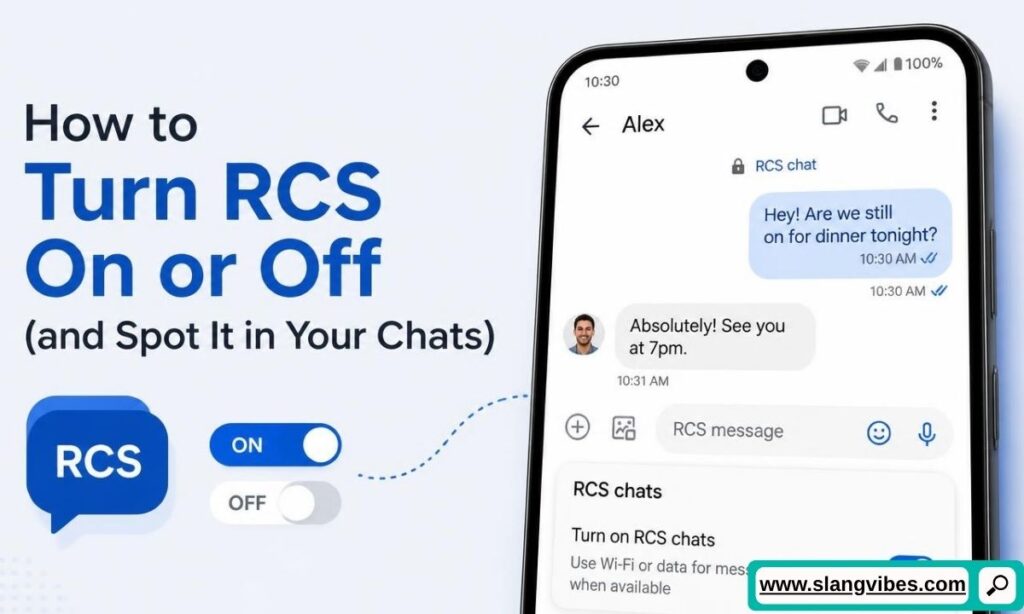
Look at the text box first. On Android, Google Messages shows “RCS message” in the box when RCS is active. You see “Text message” when it isn’t. On iPhone, the text box shows an RCS label for those chats.
To turn RCS on or off, follow these steps:
- Android: Open Google Messages and tap your profile picture. Choose Messages settings, then RCS chats, which some phones call Chat features.
- iPhone: Open Settings, find Messages, and look for the RCS Messaging switch.
- Toggle the switch, then wait a few moments for your phone to connect.
If your phone says “setting up” for a long time, restart it, check your internet connection, and update the app. Toggling RCS off and back on often clears a stuck setup.
Turning RCS off sends everything back to plain SMS and MMS. You lose typing bubbles and sharp photos, but your messages still arrive. Read receipts bring their own drama in dating chats:
Nina: I saw “Read” under my text two hours ago.
Omar: Sorry, I opened it at work and forgot to answer.
Nina: Next time, turn off read receipts so I stop guessing.
Omar: Done. I’ll reply faster anyway.
Read Also: Crank Slang Meaning (2K26 Guide): What “Crank” Really Means in Modern Conversations
Common RCS Meaning Mistakes and Myths
Plenty of readers get the basics right and still stumble. Even folks who know the RCS meaning trip over a few details. Here are the common slip-ups, with quick fixes.
Mistake 1: Thinking RCS is an app. Your default messaging app handles RCS, so nothing needs downloading. Look for the setting inside Google Messages or the iPhone Messages app.
Mistake 2: Assuming every chat uses RCS. Both people need RCS support. Picture a family group chat where Grandpa still owns a basic phone. The whole group falls back to SMS, and everyone loses typing bubbles until he upgrades.
Mistake 3: Believing RCS works without any connection. RCS needs mobile data or Wi-Fi. With no connection, your phone sends plain SMS instead, and the fancy features pause.
Mistake 4: Treating green bubbles as a warning sign. On an iPhone, RCS chats appear green, so a green bubble might hold a high-quality conversation. Blue only means iMessage.
Mistake 5: Expecting RCS to cost extra. It uses data, so a small data plan feels the impact more. On Wi-Fi, your mobile data stays untouched. Many plans don’t charge a separate fee, but check yours if you’re unsure.
Mistake 6: Skipping software updates. RCS features depend on your phone’s software and your messaging app’s version. If a friend sees RCS and you don’t, update before you blame the carrier.
What RCS Means for Your Privacy: Encryption, Spam, and Safety
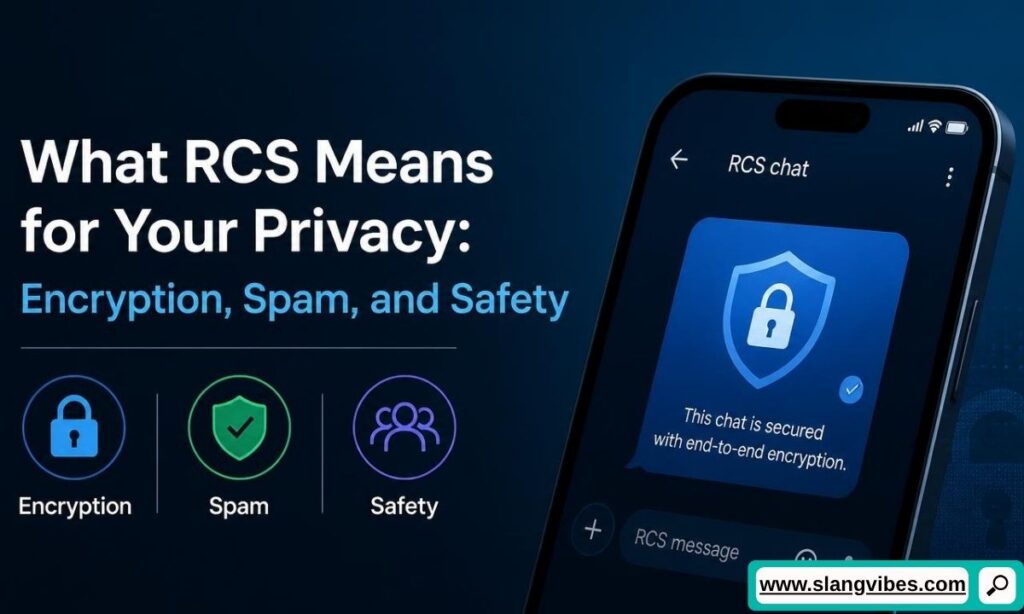
Safety is the next piece of the RCS meaning puzzle. Plain SMS has no end-to-end encryption, so the content travels in a readable form. RCS improves the picture, though the details depend on who you text.
Google Messages has offered end-to-end encryption between Android users for several years. In spring 2026, Apple and Google began rolling out the same protection for chats between iPhone and Android. It’s still in beta, and it needs iOS 26.5, a current version of Google Messages, and a supported carrier. A padlock icon in the chat shows when encryption is on.
Business chats work differently. Companies use RCS to send delivery alerts, appointment reminders, and promos. Those business messages don’t carry end-to-end encryption. Keep this in mind before you share personal details with a brand.
Here’s a typical case:
Elena: Got a text from “FastShip” with a tracking link. Real?
Ravi: Check the sender name, then open the retailer’s app instead.
Elena: Good idea. No clicking weird links.
Ravi: Exactly. Never type passwords into a text chat.
Encryption protects what you write, but it doesn’t filter out scam senders. Spam shows up in RCS much like it does in SMS. Treat unknown senders with care, and report junk through your messaging app. Your best habit is simple: update your software, look for the padlock, and keep sensitive details out of brand chats.
Read New Articles: FTW Meaning in Text: What Does It Really Stand For?
RCS FAQs
What does RCS stand for in texting?
The RCS meaning is Rich Communication Services, an upgraded texting system with typing bubbles, read receipts, and better photos.
Is RCS the same as SMS?
No. SMS uses your carrier’s cellular signal and offers basic features, while RCS runs over data or Wi-Fi and adds chat features.
Does RCS cost money?
RCS uses mobile data or Wi-Fi, so it counts toward your data plan. Many plans add no separate charge, but check with your carrier.
Are RCS messages between iPhone and Android encrypted?
Encryption began rolling out in beta in spring 2026. It needs iOS 26.5, a current Google Messages app, and a supported carrier.
How do I turn off RCS or fix it when it won’t connect?
Open your messaging settings and switch off the RCS option. To fix a stuck setup, restart your phone, check your connection, and update the app.
The Bottom Line on What RCS Means
The RCS meaning boils down to Rich Communication Services, a smarter way to text. It sends your messages over mobile data or Wi-Fi. This brings typing bubbles, read receipts, sharper photos, and better group chats. Both iPhone and Android now support it, and encrypted chats between the two platforms are rolling out in beta.
Remember a few basics. RCS lives inside your default messaging app, so you download nothing. Both people need it switched on, or the chat falls back to SMS. Green bubbles on an iPhone no longer signal low quality. Business messages stay unencrypted, so keep sensitive details out of them.

Alex Carter is a language enthusiast and internet culture expert at SlangVibes. He explains the latest slang terms and text meanings in simple, clear English so everyone stays in the loop.