Ever gotten a text saying someone loved an image, with no picture attached anywhere in sight? You scroll up, scroll down, and still find nothing. Loved an image meaning confuses more people than you’d expect. It tends to show up at the worst possible moment. This usually happens right when you’re trying to figure out what your friend reacted to.
Here’s the good news: this phrase has a simple, specific explanation. It isn’t a glitch, and your phone isn’t acting up. Once you know where it comes from, you won’t wonder about it again.
Loved an Image Meaning: The Quick Answer
Loved an image meaning comes down to one thing. Someone reacted to a photo or video you sent with a heart symbol. Their messaging app turned this reaction into a text notification instead of showing the heart icon directly.
On iPhone, this happens through a feature called Tapback. Tap and hold on a photo in Messages, then pick the heart. The recipient sees a small red heart pinned to the image. Behind the scenes, the system also generates a plain text version of the reaction: “Alex loved an image.” Depending on how the message gets delivered, the visual heart shows up, the text version shows up, or both show up.
Here’s the short version:
- A heart reaction was sent
- The recipient’s device turned it into text
- No new message got sent, only a reaction
This isn’t a new message thread or a comment. It’s a reaction attached to something already sent. It gets translated into words because the receiving device couldn’t display the heart icon properly.
People mix this up with liking a photo on Instagram or TikTok, but the mechanics work differently. Instagram reactions stay inside the app and show up as a small heart under the post. Text message reactions travel with the message itself, across SMS, MMS, or iMessage. Sometimes they get lost in translation between phone types.
The takeaway: loved an image is a reaction, not a reply. The text version exists purely because of how messaging apps handle reactions across different systems.
Read Also: EVB Meaning in Text: What It Means and How People Use It (2026)
Where “Loved an Image” Comes From: iMessage Tapbacks Explained
Apple introduced Tapback in 2016, with the release of iOS 10. Before this update, texting on iPhone meant typing out every response, even for a quick reaction to a photo. Tapback changed this by letting users tap and hold any message or image and choose from six quick reactions.
The heart reaction became the most popular option almost right away. It’s the fastest way to tell someone their photo landed well, without pulling up the keyboard.
Here’s a detail most guides skip: Tapback wasn’t built as a text-based feature. It was designed as a small animated icon layered over the original message bubble. The phrase “loved an image” only exists as a backup description. It’s a way to describe the reaction for devices or apps unable to render the actual icon.
Apple’s own support documentation describes Tapback reactions as quick responses attached directly to a message. The reaction shows as a colored icon above the text or photo. The written phrase isn’t the main feature; it works as a fallback.
Why the Feature Has Stuck Around
Apple marketed Tapback alongside bubble effects and screen effects in the same iOS 10 release. All three features aimed at making texting feel less like typing and more like a real conversation. Tapback stuck around through every iOS version since, largely unchanged in how it functions. Apple added other features over the years, like message editing and typing indicators, but left Tapback alone.
The name itself hints at the design goal. A “tap” replaces a written reply. The reaction sends “back” to the original sender. It stays attached to the exact message it responds to, rather than floating as a separate text. Apple kept the interaction to a single gesture on purpose. The whole point was cutting down on typing for quick, low-effort responses. This design choice is also why the feature never grew beyond six fixed options. Adding custom reactions would have slowed the gesture down and defeated the original purpose.
Read More: WTW Meaning in Text: What It Means on TikTok, Snapchat & Instagram (2026)
Why “Loved an Image” Shows Up as Text Instead of a Heart
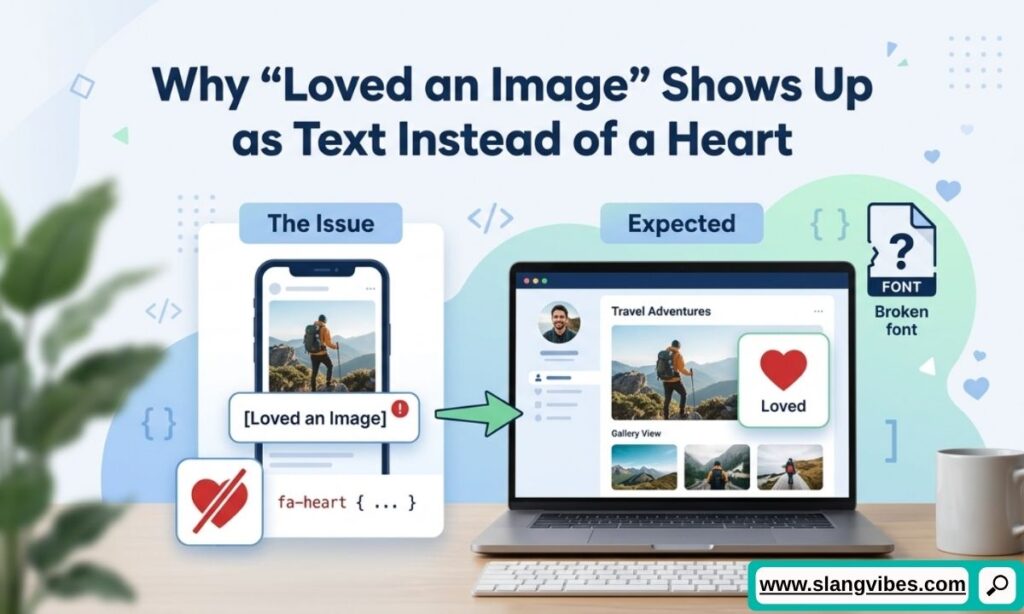
The heart-to-text swap happens because of how the message gets delivered. It isn’t caused by anything the sender or recipient did wrong.
Tapback icons render properly only inside iMessage, Apple’s own messaging protocol. The moment a message crosses over to SMS or MMS, the reaction loses its visual formatting. This switch happens automatically the instant someone in the conversation uses Android. iMessage still needs to communicate what happened, so it falls back to plain text: “Alex loved an image.”
This also happens with:
- Older iPhones running outdated software
- Group chats mixing iPhone and Android users
- Third-party texting apps without Tapback rendering support
Sometimes the text notification arrives before the photo itself, which throws people off even more. This happens because the reaction and the original image travel as two separate pieces of data. One often loads faster than the other, depending on signal strength or app processing.
This formatting gap comes from a mismatch between Apple’s messaging system and everyone else’s, not from a broken feature. It’s become well known enough to spark its own culture around “green bubble” texting.
The Encryption Angle
Apple has pointed to security as part of the reasoning behind keeping iMessage separate from standard SMS. iMessage runs on end-to-end encryption, while regular SMS and MMS don’t offer the same protection. Reactions, read receipts, and typing indicators all depend on this encrypted connection to work properly. This dependency explains why these features rarely carry over cleanly once a conversation drops down to plain text messaging.
Did You Know? The gap between iMessage and Android messaging became part of a 2024 US Department of Justice antitrust case against Apple. The DOJ argued inconsistent features between iPhone and Android messaging, including reactions like this one, pushed people toward buying iPhones to avoid the friction.
All 6 iMessage Tapback Reactions and What They Mean
Loved an image is one of six Tapback reactions. The full loved an image meaning only makes complete sense next to the other five, since Apple built the feature around six matching options, and each one produces its own version of the same text fallback.
| Tapback Reaction | Icon | Text Version |
|---|---|---|
| Love | Red heart | “Alex loved an image” |
| Like | Thumbs up | “Alex liked an image” |
| Dislike | Thumbs down | “Alex disliked an image” |
| Laugh | “Haha” bubble | “Alex laughed at an image” |
| Emphasize | Double exclamation | “Alex emphasized an image” |
| Question | Question mark | “Alex questioned an image” |
Each reaction follows the same setup: tap and hold, pick an icon, send. The system swaps one word in the text version depending on which icon gets chosen. This is why the sentence structure stays identical across all six.
Love and Like get used the most. Both work as fast, low-effort ways to acknowledge a photo without typing a response. Laugh shows up often in group chats reacting to memes or screenshots. Emphasize tends to signal urgency or strong agreement, close to putting an exclamation point on someone’s message. Question gets used the least, usually to flag confusion about a photo or ask for context without derailing the conversation.
Read new Article: STFU Meaning in Text: Why People Use It on TikTok, Snapchat & Instagram
iPhone vs Android: Blue Bubble, Green Bubble and the 2026 RCS Fix
The color of a text bubble hints at whether Tapback reactions display correctly. Blue bubbles mean iMessage, which supports the heart icon fully. Green bubbles mean SMS or MMS, which historically turned every reaction into a text description.
The Green Bubble Backstory
This divide fueled years of complaints and jokes. It even sparked a well-known Bloomberg and NPR news cycle around “green bubble shaming.” Android users described feeling excluded from group chats or judged over bubble color alone.
Google pushed back with RCS, a messaging standard built to match iMessage features like read receipts, typing indicators, and reactions. Through most of 2025, RCS support between Android and iPhone stayed inconsistent. Reactions still showed up as text in plenty of conversations.
What Changed by 2026
Apple’s adoption of RCS across iOS has closed a lot of this gap. Android users messaging an iPhone over RCS now see reactions rendered as actual emoji instead of a text sentence. The reverse is becoming more common too. Google Messages added a setting called “Show iPhone reactions as emoji.” It converts the old-style text notification into the matching icon automatically.
The catch: this only works if both people have RCS enabled and are running updated software. Older devices, disabled RCS settings, or plain SMS fallback still produce the text-based “loved an image” notification. The loved an image meaning stays the same either way; only the display changes.
Apple first confirmed plans to support RCS back in 2024, months after regulators and Google both pushed for it publicly. Rollout happened gradually, market by market and carrier by carrier, rather than as a single global switch. Older phone plans, carriers still finalizing RCS support, and devices running outdated software are the main holdouts. Text-based reactions stick around longer on these setups. Most everyday conversations, though, are moving past the issue.
How to Stop Getting a “Loved an Image” Text
A few settings changes clear up most of the confusion, depending on which phone is sending or receiving the reaction.
On iPhone, a few settings help:
- Update to the latest iOS version, since older versions handle Tapback rendering less consistently
- Turn on RCS under Settings, then Apps, then Messages, where the option is available
- Confirm both people in the conversation have iMessage active, shown by a blue text field instead of green
On Android, Google Messages users need one specific setting:
- Open Google Messages, tap the profile icon, go to Messages settings, then Chat features
- Look for “Show iPhone reactions as emoji” and switch it on
- Confirm RCS chats are enabled, since reactions won’t render correctly over plain SMS
For group chats mixing device types, the fix gets trickier. Every participant needs RCS or iMessage active for reactions to render as icons across the board. One person on an older SMS plan is enough to push the whole thread back to text-based reactions.
Anyone on a phone too old to support RCS or the latest iOS has a simple workaround. Typing a short reply instead of using the Tapback gesture skips the text-conversion problem entirely. It takes a few extra seconds. It also avoids the confusing “loved an image” notification. A typed message never goes through the reaction system at all.
Without these fixes, the sentence “loved an image” isn’t a sign of a problem. It’s the standard fallback, and it disappears once everyone in the thread updates to a system supporting the icon.
Read Also: Moots Meaning in Text: Simple Explanation for Social Media Users (2026)
Does It Mean Something Romantic? What “Loved an Image” Signals
Getting a heart reaction on a photo feels loaded sometimes, especially from someone you’re interested in. The honest answer: loved an image meaning shifts depending on who sent it, not on the reaction itself.
A heart Tapback takes one tap. It doesn’t require typing a message, picking a caption, or thinking long about wording. Most people use it as a fast way to say “I saw this and liked it,” nothing more.
Signs it leans romantic:
- The person rarely reacts to anyone else’s photos this way
- It’s paired with a follow-up message or compliment
- The pattern repeats across multiple photos, not a one-time thing
Signs it’s friendly acknowledgment:
- They react to lots of people’s photos the same way
- No follow-up message comes with it
- The photo itself is casual, like a meal or a pet, not a personal moment
One heart reaction rarely amounts to a confession of feelings on its own. Pattern matters more than a single instance. Reading too much into one Tapback is an easy trap to fall into, especially with someone new.
The reaction system was built for speed, not depth. Someone loving an image usually means they liked what they saw, without overthinking the response the way the recipient might.
Does Age Change How It Reads?
Reading habits around this also split a bit by age group. Younger texters, especially teens and younger Gen Z users, treat Tapback reactions as background noise in a conversation. It’s something sent without much thought between dozens of other messages a day. Millennials and older Gen Z users tend to notice a heart reaction more. Texting culture for this generation grew up around fuller replies. A wordless reaction stands out as a bigger shift in tone for them. Neither read is wrong. The meaning depends heavily on how the specific person texts everyone else, not on the reaction alone.
Read More Article: HN Social Media Meaning: What It Really Means on TikTok, Instagram & Snapchat (2026)
Real Text Examples: “Loved an Image” in Group Chats and DMs
Seeing the phrase in real conversations makes the meaning click faster than any definition.
In One-on-One Texts
A sibling group chat:
Priya: [sent a photo of her new apartment] Miguel: loved an image Priya: lol you couldn’t even type something 😂 Miguel: it said everything it needed to
A dating context:
Jordan: [sent a photo from a hike] Casey: loved an image Jordan: no comment at all? 👀 Casey: didn’t want to ruin a good photo with a bad caption
A close friend catching up over text:
Riya: [sent a photo of her dog in a Halloween costume] Ben: loved an image Ben: ok wait send more, I need the whole photoshoot Riya: coming right up
In Group Chats and Work Threads
A family group chat with mixed devices:
Mom: loved an image Dad: loved an image Sister: guys say it’s cute lol
A coworker thread:
Sam: [shared a screenshot of a finished design] Taylor: loved an image Priya: same, this looks great
A college friend group chat, years after graduation:
Devon: [sent an old photo from freshman year] Marcus: loved an image Alicia: loved an image Devon: nobody has anything to say about the haircut 😭
These examples show the pattern holding steady across settings. It doesn’t matter if it’s a sibling being lazy, a date being playful, or a coworker giving quick approval. Tone comes from context, not from the reaction text itself.
Frequently Asked Questions About Loved an image meaning
What does it mean when someone loves your image?
The loved an image meaning is simple: they sent a heart Tapback reaction to your photo. Their device converted the reaction into a text notification instead of showing the heart icon.
Why does my Android phone say “loved an image” instead of showing a heart?
Android phones without RCS enabled, or with older Google Messages settings, display Tapback reactions as plain text rather than emoji.
Is it possible to turn off “loved an image” text notifications?
Enabling RCS on both devices fixes this for most conversations. Turning on “Show iPhone reactions as emoji” in Google Messages settings helps too.
Does “loved an image” mean the same as liking a photo on Instagram?
Not quite. Instagram likes stay inside the app, while text message reactions travel with the message itself across SMS, MMS, or iMessage.
Why did I get “loved an image” before the actual picture?
Reactions and images travel as separate pieces of data. Depending on signal strength, the reaction notification sometimes arrives first.
Conclusion
Loved an image meaning boils down to a single tap turning into a line of text. This happens because of how Apple’s Tapback feature interacts with SMS, MMS, and Android messaging. What started as a shortcut for reacting to photos without typing a reply became something bigger. It’s now one of the most searched, most misunderstood phrases in modern texting.
Most of the confusion comes from missing context. Once you know the phrase comes from a heart reaction, not a new message, the confusion clears up fast. Knowing why it shows up as text on certain devices removes the rest of the mystery.
RCS adoption in 2026 is closing the gap between iPhone and Android messaging. This kind of text-based reaction should show up less often going forward. Until every device catches up, expect “loved an image” to keep popping up in group chats, DMs, and family threads.
Next time it shows up on your screen, you’ll know exactly what happened. You’ll also know why your phone chose words instead of a heart.

Alex Carter is a language enthusiast and internet culture expert at SlangVibes. He explains the latest slang terms and text meanings in simple, clear English so everyone stays in the loop.